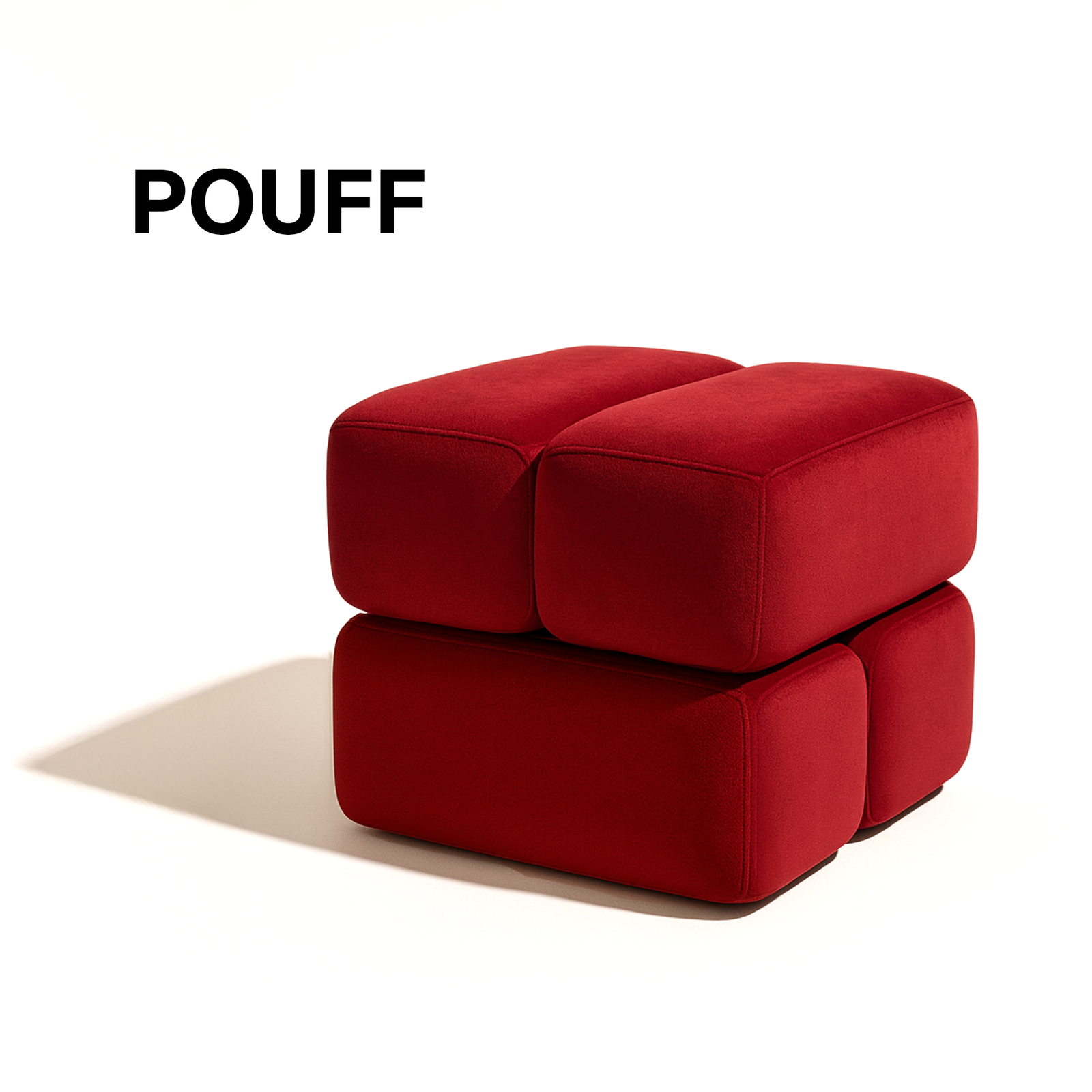
Top 10 Ways to Enhance Office Productivity with Seating

In the modern office, the race for higher performance isn’t won by faster laptops or flashier software—it’s often won by the chair you’re sitting in. While most companies spend budgets on cutting‑edge tech, they overlook a surprisingly simple, high‑impact lever: seating design. The right chair (or collection of seats) can reduce fatigue, boost focus, encourage collaboration, and even lower absenteeism.
If you’ve ever felt a twinge in your lower back after a marathon meeting, or caught yourself slumping into a “comfort zone” that actually saps your energy, you already know that seating matters. This post dives deep into the top 10 ways to enhance office productivity with seating, blending ergonomics, psychology, and design thinking into actionable steps you can roll out tomorrow.
1. Choose Ergonomically Certified Chairs – The Foundation of Comfort & Focus
Why it matters
Ergonomic chairs are engineered to support the natural curves of the spine, distribute weight evenly, and encourage micro‑movements that keep blood flowing. When the body is comfortable, the brain can allocate more resources to problem‑solving rather than pain management.
What to look for
Feature Why it’s crucial Quick checklist
Adjustable lumbar support Maintains the inward curve of the lower back Can you raise/lower the lumbar pad?
Seat depth & width adjustability Accommodates different leg lengths, preventing pressure behind the knees Seat slides forward/back?
3‑D armrests (height, width, depth) Reduces shoulder tension and wrist strain Arms move independently?
Tilt tension & lock Lets users recline for brief rest without losing posture Test recline resistance levels
Breathable mesh or high‑density foam Prevents heat build‑up, which can cause distraction Feel the material – does it stay cool?
Implementation tip: Start with a pilot of 5–10 ergonomically certified models (e.g., Herman Miller Aeron, Steelcase Leap, Humanscale Diffrient). Gather user feedback after 30 days and use the data to justify a larger rollout.
2. Introduce “Active Seating” Options – Keep the Body Moving
The science
Research from the University of Queensland shows that dynamic seating (e.g., stability balls, wobble stools, and sit‑stand desks) can increase calorie burn by up to 30% and improve core activation, which translates into better posture over time.
Practical choices
Active Seat Best For Pros Cons
Balance ball chair Creative teams, short‑term tasks Encourages micro‑movements, improves core Not ideal for long, focused work
Wobble stool Open‑plan collaborative zones Promotes subtle shifting, easy to stack Limited back support
Sit‑stand desk with ergonomic stool Teams needing both sitting & standing Flexible posture, reduced sedentary time Requires desk height adjustment training
Implementation tip: Create a “Movement Zone” in the office with a mix of active seats and a reminder board encouraging the 20‑minute “stand‑or‑stretch” rule.
3. Design Seating Zones Aligned with Task Types
The concept
People don’t work the same way all day. Task‑based zoning matches seat type to activity, reducing cognitive friction.
Zone Seating Type Ideal Activities
Deep‑focus pods High‑back ergonomic chair, acoustic panel Writing, coding, analysis
Collaboration clusters Low‑back swivel chairs, modular couches Brainstorming, quick meetings
Creative lounge Soft lounge chairs, bean‑bags, standing stools Ideation, informal catch‑ups
Well‑being corner Recliners, massage chairs, yoga mats Breaks, mindfulness, recovery
Implementation tip: Map out existing floor plans, then overlay a task‑flow diagram to see where each zone fits. Use color‑coded signage to guide employees—e.g., “Blue = Focus” and “Green = Collaboration”.
4. Leverage Adjustable Height Seating for Inclusive Workspaces
Why height matters
Standard‑height chairs can marginalise employees of varying stature and can even lead to musculoskeletal disorders for shorter or taller workers. Adjustable height seating creates an inclusive environment where every team member can achieve an optimal ergonomic setup.
Best practices
1. Universal height range – Choose chairs that adjust at least 16–22 inches (40–55 cm) from floor to seat.
2. Clear labeling – Add simple icons on each chair indicating the adjustment lever’s direction.
3. Training session – Run a 10‑minute demo during onboarding showing how to set up a chair for personal comfort.
5. Integrate Smart Seating Technology – Data‑Driven Comfort
Emerging tech
Technology What it does Benefits
Pressure‑mapping sensors Detects pressure points, alerts when you’re slouching Real‑time posture correction
Built‑in charging ports & Bluetooth Powers devices, integrates with meeting rooms Reduces cable clutter, boosts productivity
Occupancy sensors Signals if a seat is taken or free Optimises space usage, informs hot‑desking
Air‑circulation & temperature control Adjusts seat temperature based on body heat Enhances comfort, especially in variable climates
Implementation tip: Start with a few pilot “smart chairs” in high‑traffic areas (e.g., the front desk or executive suite). Use the data to fine‑tune workspace layouts and to make a business case for scaling the technology.
6. Prioritise Acoustic Solutions in Seating Choices
The hidden productivity killer
Noise distractions can cut focus by up to 66% (American Society of Interior Designers). Seating isn’t just a physical platform; it also interacts with sound.
Acoustic‑friendly seating ideas
High‑back chairs with acoustic panels – The backrest absorbs sound waves.
Cushioned bench seats with fabric upholstery – Fabric dampens echo.
Seat clusters surrounded by sound‑absorbing dividers – Creates a “bubble” of quiet.
Implementation tip: Conduct a quick sound‑mapping exercise using a smartphone app (e.g., Decibel X). Identify noisy hotspots and replace existing seats with acoustic‑enhanced models.
7. Encourage Personalisation Within Reason – Ownership Boosts Engagement
Psychological angle
Allowing employees to personalise their seating (e.g., adding a footrest, a small cushion, or a favorite desk lamp) cultivates a sense of ownership, which research links to a 12% increase in job satisfaction.
Guidelines for a balanced approach
Provide a curated “add‑on kit” – footrests, lumbar pads, monitor risers.
Set clear limits – No large items that block aisles or fire exits.
Create a “personalise‑your‑seat” day – A quarterly event where staff can tweak their workstations.
8. Optimize Seat Arrangement for Visual Connectivity
The visual flow principle
When employees can see each other without turning their heads dramatically, they experience less neck strain and higher situational awareness.
Tips for arrangement:
1. Circular or semi‑circular configurations for team huddles – Everyone’s line of sight is direct.
2. Staggered rows instead of straight lines – Reduces glare from overhead lights and allows natural eye movement.
3. Avoid “back‑to‑back” desks in high‑interaction zones – Keeps the line of sight open for quick questions.
Implementation tip: Use a virtual layout tool (like SketchUp or Planner 5D) to experiment with different configurations before moving furniture.
9. Align Seating with Health & Wellness Programs
The link to absenteeism
A 2023 Harvard Business Review study found that offices with ergonomically‑optimized seating saw a 23% drop in sick days.
Well‑being tie‑ins:
Stretch‑break prompts – Pair seat sensors with a mobile app that nudges users to stand or stretch every hour.
Desk‑to‑desk fitness challenges – Offer points for using sit‑stand desks or active seats.
Posture workshops – Quarterly sessions led by physiotherapists to teach micro‑adjustments.
Implementation tip: Integrate seating data into your existing HR wellness dashboard to track correlations between seat usage patterns and health metrics (e.g., self‑reported pain levels).
10. Future‑Proof Seating with Sustainability in Mind
Why sustainability matters
Millennials and Gen‑Z employees increasingly judge companies on environmental stewardship. Choosing eco‑friendly seating not only aligns with corporate social responsibility but often comes with durability and cost‑effectiveness.
Sustainable seating criteria:
Criterion Example Benefits
Recyclable materials 100% recycled aluminum frame Lower carbon footprint
Low‑VOC upholstery Natural latex or recycled PET fabric Improves indoor air quality
Modular design Seats that can be re‑configured or upgraded Extends product lifecycle
Certified manufacturers B‑Corp or Cradle‑to‑Cradle certification Demonstrates ethical sourcing
Implementation tip: When issuing RFPs for new furniture, include green procurement clauses (e.g., minimum 30% recycled content, end‑of‑life take‑back program).
Putting It All Together: A Step‑by‑Step Action Plan
Phase Goal Key Activities Timeline
1️⃣ Assessment Diagnose current seating gaps • Conduct ergonomic audit (surveys + on‑site checks)
• Map acoustic and visual hotspots
• Review health & absenteeism data 2–3 weeks
2️⃣ Pilot Test high‑impact changes • Deploy 10 ergonomic chairs + 5 active seats in a single floor
• Install one smart chair with pressure sensors
• Set up a “Movement Zone” 4–6 weeks
3️⃣ Data Review Measure impact • Collect posture, movement, and satisfaction scores
• Compare productivity metrics (e.g., task completion time)
• Adjust based on feedback 2 weeks
4️⃣ Scale Roll out successful solutions • Replace outdated chairs across the office
• Expand active seating zones
• Integrate acoustic‑enhanced pods 8–12 weeks
5️⃣ Ongoing Optimization Keep the momentum • Quarterly “Seat‑Check” workshops
• Refresh personalisation kits
• Update sustainability procurement policies Continuous
Real‑World Success Stories
Company Seating Strategy Result
TechCo (Silicon Valley) Switched 80% of workstations to height‑adjustable ergonomic chairs + introduced sit‑stand desks 18% increase in average daily output, 30% reduction in reported back pain
DesignStudio Ltd. Created “Creative Lounges” with low‑back swivel chairs, bean‑bags, and acoustic panels 25% faster idea‑generation in brainstorming sessions, higher employee NPS
FinanceCorp Implemented smart chairs with occupancy sensors for hot‑desking Optimized space utilisation by 22%, saved $150K in real‑estate costs annually
EcoHealth Inc. Adopted 100% recycled‑material chairs and a buy‑back program Earned B‑Corp certification, reduced carbon emissions by 0.8 tCO₂e per year
Frequently Asked Questions (FAQ)
Q1. How much does an ergonomic chair cost?
While high‑end models range $800‑$1,500, many mid‑tier options (e.g., Steelcase Series 1, Haworth Zody) deliver comparable lumbar support for $350‑$600. The ROI often materialises within 6–12 months via reduced sick days and higher productivity.
Q2. Will active seating distract people from deep work?
If used strategically—e.g., limiting active seats to collaborative zones or short‑term tasks—distraction is minimal. Pair them with “focus pods” to give employees a choice.
Q3. Are smart chairs worth the investment?
For large enterprises, the data gathered (space utilisation, posture analytics) can inform facility planning, leading to cost savings that outweigh the initial outlay.
Q4. How do I convince leadership to invest in new seating?
Present a data‑driven business case: combine ergonomic audit results, health statistics, and projected ROI calculations. Highlight competitive benchmarks—companies that prioritize seating see measurable performance gains.
The Bottom Line: Seating Is Not a Luxury, It’s a Productivity Engine
From ergonomics to smart sensors, from acoustic panels to sustainable materials, every facet of office seating can be leveraged to drive focus, collaboration, health, and morale. The ROI isn’t just a line on a spreadsheet; it’s seen in fewer sick days, faster project turnaround, and happier employees who actually want to sit down (and stay productive) each morning.
So, the next time you walk into an office and see rows of generic chairs, ask yourself: What could happen if these seats were engineered for humans, not just for cost?
Take the first step today—audit your current seating, pilot a few ergonomic upgrades, and watch the transformation unfold. Because when you sit smarter, the whole organization rises higher.
Ready to revamp your workspace? Download our free “Office Seating Optimization Checklist” and start turning chairs into productivity power‑houses!