Guide to Optimizing Office Layouts for Efficiency

Imagine walking into a workspace where every desk, lounge, and hallway feels intentional—where the layout itself silently boosts focus, fuels creativity, and slashes wasted time. That isn’t a futuristic fantasy; it’s the result of a well‑engineered office layout. In today’s hybrid‑work world, the way you arrange square footage can be the difference between a thriving, high‑performing team and a chaotic, disengaged one. Below is a comprehensive, step‑by‑step guide that will help you re‑imagine your office floor plan, turn idle space into productivity powerhouses, and future‑proof your workplace for the evolving needs of the modern workforce.
Table of Contents
1. Why Layout Matters: The Business Case for Design
2. Foundational Principles of an Efficient Office Layout
3. The Layout Playbook: Choosing the Right Configuration
Open‑Plan
Cellular (Private Offices)
Hybrid / Pod‑Based
Activity‑Based Working (ABW)
Remote‑Integrated Spaces
4. Step‑by‑Step Process to Optimize Your Office
5. Key Design Elements That Drive Efficiency
Flow & Circulation
Zoning & Functional Areas
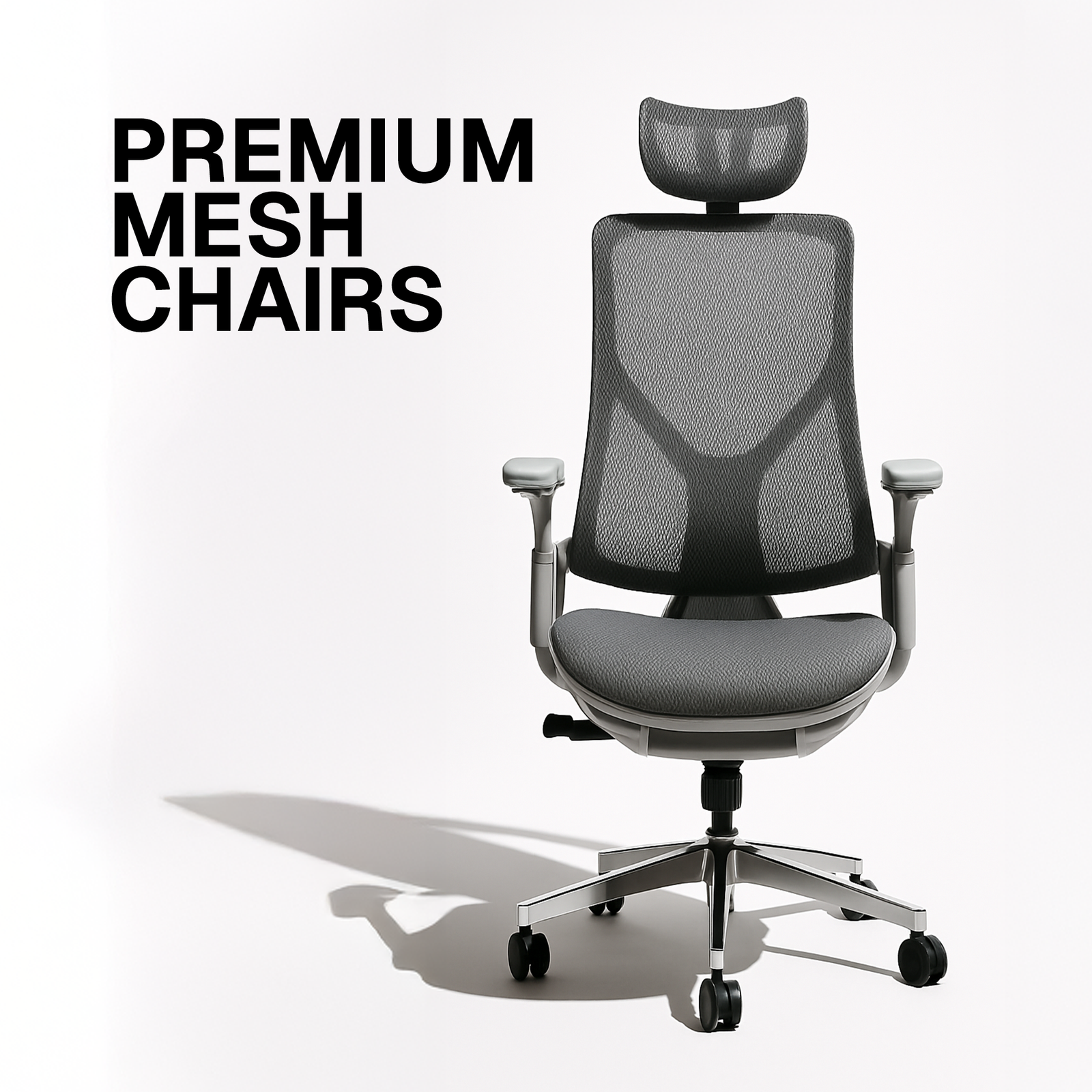
Ergonomics & Furniture
Lighting, Acoustics & Air Quality
Color, Materials & Biophilic Touches
6. Technology & Data‑Driven Tools for Layout Planning
7. Common Pitfalls (and How to Avoid Them)
8. Case Studies: Real‑World Transformations
9. Future‑Facing Trends to Keep on Your Radar
10. Quick‑Start Checklist for Leaders & Facility Managers
11. Conclusion: From Space to Competitive Advantage
1. Why Layout Matters: The Business Case for Design
A well‑designed office is more than aesthetic appeal; it’s a strategic asset that directly impacts the bottom line.
Metric Impact of a Poor Layout Impact of an Optimized Layout
Employee Productivity 12‑15% loss due to distractions, unnecessary walking, and uncomfortable workstations. 8‑12% boost as employees spend less time searching for resources and more time focused.
Collaboration & Innovation Silos form, ideas stay trapped. Spontaneous encounters increase, leading to a 30% rise in cross‑team ideas (per Harvard Business Review).
Employee Retention Higher turnover because of dissatisfaction with the environment. 20% reduction in turnover when employees report higher workplace satisfaction.
Real Estate Cost Under‑utilized square footage inflates rent expenses. Up to 25% more usable space per square foot, allowing downsizing or reallocation of budget.
Health & Well‑Being Poor ergonomics → musculoskeletal issues, absenteeism. Better ergonomics → 40% reduction in reported discomfort, lower sick days.
Bottom line: A strategic layout is a cost‑saving, culture‑building, and performance‑enhancing lever. Ignoring it is no longer an option.
2. Foundational Principles of an Efficient Office Layout
Before you start sketching desks and meeting rooms, internalize these timeless design pillars:
1. Purpose‑Driven Zoning – Separate “focus,” “collaboration,” “support,” and “social” zones. Each zone should have a clear intent and minimal interference from the others.
2. Flow & Circulation – People move in predictable patterns (the “traffic triangle” of entrance → main work area → meeting zone). Avoid bottlenecks and dead‑ends.
3. Flexibility & Scalability – The layout must adapt to growth, downsizing, or shifts in work style (e.g., more remote days). Modular furniture, movable partitions, and reconfigurable tech are your friends.
4. Ergonomics First – Chair, desk height, monitor placement, and lighting should meet or exceed ergonomic standards (e.g., OSHA, ISO 9241‑5).
5. Acoustic Management – Sound is the hidden productivity killer. Use soft surfaces, acoustic panels, and strategic zoning to keep noise levels within 50–55 dB for focused work.
6. Biophilic & Wellness Integration – Natural light, plants, and access to outdoor views improve focus and reduce stress. Aim for at least 10% of floor space dedicated to biophilic elements.
7. Technology Enablement – Power, data, and Wi‑Fi coverage must be ubiquitous, not an afterthought. Think “plug‑and‑play” for hot‑desking and mobile teams.
3. The Layout Playbook: Choosing the Right Configuration
Every organization is unique, so there’s no one‑size‑fits‑all layout. Below is a quick overview of the most common configurations, their strengths, and where they shine.
A. Open‑Plan
What it looks like: Large, column‑free spaces with desks arranged in rows or clusters, often with minimal walls.
Pros:
Encourages spontaneous interaction.
Efficient use of square footage.
Easy to reconfigure.
Cons:
Higher noise levels.
Potential for visual distraction.
Can feel impersonal.
Best For: Start‑ups, creative agencies, and companies that value rapid collaboration over deep focus.
B. Cellular (Private Offices)
What it looks like: Individual rooms or “pods” for each employee or team.
Pros:
Strong focus environment.
Enhanced privacy for confidential work.
Clear hierarchy signals.
Cons:
Inefficient use of space (up to 30% wasted).
Can foster silos.
Higher real‑estate cost.
Best For: Legal, finance, or any function handling sensitive data and requiring uninterrupted concentration.
C. Hybrid / Pod‑Based
What it looks like: Small “pods” (4‑6 desks) sharing a common meeting nook, often surrounded by quiet zones.
Pros:
Balances collaboration and privacy.
Facilitates team identity without full walls.
Scales easily.
Cons:
Requires thoughtful acoustic planning.
May need more furniture variety.
Best For: Mid‑size teams that need both focus and quick brainstorming (e.g., product development, marketing squads).
D. Activity‑Based Working (ABW)
What it looks like: No assigned desks. Instead, a menu of work settings—focus booths, stand‑up desks, collaborative hubs, and lounge areas.
Pros:
Empowers employees to choose the environment that matches their task.
Maximizes space utilization (up to 30% reduction).
Encourages movement and wellbeing.
Cons:
Needs cultural shift and clear booking systems.
May cause “desk‑hunt” frustration without proper signage.
Best For: Organizations with high mobility, flexible schedules, and a culture of autonomy (e.g., tech firms, consulting agencies).
E. Remote‑Integrated Spaces
What it looks like: Dedicated zones equipped for video‑conferencing, “virtual collaboration walls,” and “team‑hub” pods that serve both on‑site and remote participants.
Pros:
Seamlessly bridges hybrid teams.
Improves remote employee inclusion.
Future‑proofs against further remote work trends.
Cons:
Requires higher‑spec AV equipment and robust network bandwidth.
May need additional training for effective use.
Best For: Companies where a significant portion of staff works remotely at least 2‑3 days per week.
4. Step‑by‑Step Process to Optimize Your Office
> Pro Tip: Treat this as a project with its own timeline, budget, and stakeholder map.
Phase Action Tools & Tips
1️⃣ Diagnose • Conduct a space audit (measure square footage, existing furniture, utilities).
• Survey employees on pain points (noise, lighting, desk comfort).
• Review utilization data (badge swipes, desk booking analytics). Use tools like SpaceIQ, Envoy Desk, or simple Google Forms + heat‑map software.
2️⃣ Define Goals • Align layout objectives with business KPIs (e.g., reduce meeting time by 15%).
• Prioritize zones based on strategic importance (R&D vs. admin). Create a Layout Scorecard: Efficiency, Collaboration, Well‑Being, Cost.
3️⃣ Conceptualize • Draft multiple layout concepts (sketches, digital mock‑ups).
• Involve cross‑functional “design champions” to vet ideas. Use SketchUp, AutoCAD, or low‑cost Floorplanner.
4️⃣ Test & Iterate • Set up a temporary “pilot pod” using movable furniture.
• Run a 2‑week trial, gather feedback, measure utilization. Apply A/B testing: compare pilot vs. existing area.
5️⃣ Finalize & Build • Choose the winning concept, develop detailed floor plans.
• Issue RFPs for furniture, acoustic panels, AV gear. Leverage BIM (Building Information Modeling) for clash detection.
6️⃣ Communicate & Onboard • Host a launch event, share “how‑to‑use” guides for booking zones.
• Offer ergonomic training and tech onboarding. Create a Workspace Playbook (PDF + video).
7️⃣ Monitor & Refine • Set quarterly review cadence.
• Track key metrics (space utilization %, employee satisfaction, meeting duration). Dashboard in Power BI or Tableau for real‑time visibility.
5. Key Design Elements That Drive Efficiency
A. Flow & Circulation
Primary Pathways: Keep main arteries (entrance → reception → work area) at least 1.2 m wide to accommodate two‑person traffic.
Secondary Paths: Use “soft walls” (glass, plants) to guide movement without creating hard barriers.
Avoid “Dead Zones”: Spaces behind columns or under staircases often become storage closets—convert them into quiet pods or mini‑library nooks.
B. Zoning & Functional Areas
Zone Typical Size (per employee) Core Features
Focus Booth 2‑3 m² Sound‑absorbing walls, task lighting, power outlet.
Collaboration Hub 6‑10 m² per 4‑6 people Whiteboards, movable chairs, high‑speed Wi‑Fi.
Support Area (copy, supplies) 1‑2 m² per 10 users Easy‑access, clear signage.
Social Lounge 1‑1.5 m² per user (max occupancy) Soft seating, coffee bar, plants.
Quiet Library 0.5 m² per user Individual pods, low lighting, strict no‑talk policy.
Tip: Use color coding or subtle floor‑level changes (different carpet tiles) to demarcate zones without walls.
C. Ergonomics & Furniture
Adjustable Sit‑Stand Desks: 70% of employees benefit from at least 2 hours of standing per day.
Task Chairs with Lumbar Support: Look for “BIFMA‑certified” models.
Monitor Arms: Reduce neck strain and free up desk surface.
Collaborative Furniture: Modular sofas, mobile whiteboards, and stackable chairs enable quick reconfiguration.
D. Lighting, Acoustics & Air Quality
1. Lighting
Aim for 300–500 lux for task areas.
Incorporate daylight harvesting sensors to dim artificial lights when natural light is ample.
Use “tunable white” LEDs that mimic circadian rhythms.
2. Acoustics
Install acoustic ceiling tiles (NRC ≥ 0.70).
Deploy “soft furniture” (fabric chairs, carpeted zones) to absorb mid‑frequency noise.
Provide “focus headphones” or sound‑masking systems for open areas.
3. Air Quality
Target CO₂ levels ≤ 800 ppm; install CO₂ sensors linked to HVAC.
Add plants known for air‑purifying properties (e.g., snake plant, peace lily).
Ensure a minimum of 10 L/s per person of fresh air (per ASHRAE 62.1).
E. Color, Materials & Biophilic Touches
Colors: Blues and greens improve concentration; yellows stimulate creativity. Use them strategically—blue for focus zones, yellow for collaboration hubs.
Materials: Natural wood, textured wall panels, and recycled fabrics convey sustainability and comfort.
Biophilia: Incorporate at least one “living wall,” desk‑scale planters, and window views. Studies show a 15% increase in productivity when employees have a view of nature.
6. Technology & Data‑Driven Tools for Layout Planning
Need Solution How It Helps
Space Utilization Analytics SpaceIQ, Density, Condeco Real‑time heat maps; identify under‑used areas.
3‑D Modeling & Virtual Walkthroughs SketchUp, Revit, Matterport Stakeholder visualization before construction.
Desk‑Booking & Hot‑Desking Platforms Robin, Envoy, OfficeSpace Seamless reservation, reduces “desk‑hunt” friction.
Acoustic Simulation CATT‑Acoustic, InsulTech Predict reverberation time, optimize panel placement.
Lighting Controls Lutron, Philips Hue Business Automated daylight harvesting; energy savings.
IoT Sensors (CO₂, Occupancy, Noise) EnviroSense, Kumostat Data‑driven adjustments to ventilation and space allocation.
Pro tip: Integrate these tools into a single “Facility Management Dashboard” for executive visibility and quicker decision‑making.
7. Common Pitfalls (and How to Avoid Them)
Pitfall Why It Happens Remedy
“One‑Size‑Fits‑All” Layout Decisionmakers ignore functional diversity. Conduct role‑based interviews; design separate zones per task type.
Neglecting Acoustic Needs Focus on visual design, under‑budget sound treatment. Run a pre‑design acoustic audit; allocate 20% of budget to acoustic solutions.
Over‑Emphasis on Aesthetics Trendy furniture chosen over ergonomic standards. Use a Design Review Board that includes HR, safety, and finance reps.
Insufficient Power/Data Future‑proofing overlooked; employees resort to extension cords. Plan for 2–3 power points per workstation; install floor‑raised power trays.
Lack of Change Management Employees feel forced into new ways of working. Host workshops, pilot programs, and reward early adopters.
Ignoring Maintenance Costs High‑maintenance materials chosen for looks alone. Conduct a Life‑Cycle Cost Analysis before finalizing finishes.
8. Case Studies: Real‑World Transformations
Case 1: Tech Startup “PixelPulse” – From Cubicles to Creative Pods
Challenge: 80% of staff complained about noise and lack of collaboration.
Solution: Replaced 30% of cubicle walls with modular pods (4‑person clusters) and added a central “innovation lab” equipped with writable glass walls.
Results (12 months):
22% increase in project turnaround speed.
18% drop in employee turnover.
30% reduction in real‑estate lease cost via space optimization.
Case 2: Law Firm “Harbor & Co.” – Balancing Privacy and Efficiency
Challenge: Confidential client work required high privacy, but the firm wanted to attract younger talent who value open spaces.
Solution: Adopted a Hybrid Layout – private “vault” rooms for confidential work, surrounded by glass‑walled “focus pods” for routine tasks, and a central “collaboration lounge” with sound‑masking.
Results (6 months):
15% increase in billable hours per attorney.
95% employee satisfaction with privacy levels.
Received an “Best Workplace” award from a local business journal.
Case 3: Global Consultancy “InsightEdge” – Implementing Activity‑Based Working
Challenge: 40% of the workforce was remote two days a week; the office felt under‑used.
Solution: Transitioned to ABW with “focus booths,” “team huddle rooms,” and a “virtual wall” that mirrors remote participants on large screens. Implemented a mobile booking app integrated with Microsoft Teams.
Results (9 months):
Space utilization rose from 55% to 82%.
Average meeting length dropped by 12 minutes (more focused sessions).
Energy consumption lowered by 18% thanks to smarter lighting and HVAC controls.
9. Future‑Facing Trends to Keep on Your Radar
Trend What It Means for Layouts
AI‑Driven Space Allocation Sensors feed data to AI models that automatically re‑assign desks based on project needs and occupancy patterns.
Dynamic, Reconfigurable Walls Magnet‑based or pneumatic panels allow walls to be moved in seconds, turning a focus booth into a meeting room on demand.
Wellness‑Centric Design Integrated health stations (standing treadmill desks, meditation pods) become core components, not afterthoughts.
Sustainable Materials Carbon‑negative flooring, reclaimed timber, and low‑VOC paints are now standard procurement criteria.
Hybrid‑Ready AV Ultra‑low latency video walls, AI‑enhanced background removal, and spatial audio ensure remote participants feel “in‑room.”
Micro‑Mobility Integration Offices near city centers start providing shared e‑scooter docks and bike‑share stations, influencing entry‑area design.
Actionable tip: Conduct an annual “Future‑Fit Review” to gauge readiness for these trends and allocate a 5‑10% innovation budget for pilot projects.
10. Quick‑Start Checklist for Leaders & Facility Managers
✅ Item Owner Deadline
1 Conduct space utilization audit (heat maps, desk bookings). Facility Ops Week 2
2 Survey 100% of employees on pain points and ideal work settings. HR Week 3
3 Define top 3 layout goals (e.g., increase focus space by 20%). Executive Team Week 4
4 Draft 3 layout concepts with visual mock‑ups. Design Agency/Internal Team Week 6
5 Pilot a 10‑person pod for 2 weeks; collect feedback. Ops + IT Week 8
6 Finalize layout, secure RFPs for furniture & acoustic solutions. Procurement Week 10
7 Install IoT sensors (occupancy, CO₂, noise). Facilities Week 12
8 Roll out workspace playbook + training sessions. HR + IT Week 13
9 Launch the new layout with a “Walk‑through Day.” Communications Week 14
10 Set up quarterly KPI dashboard (utilization, satisfaction, cost). Data Analytics Ongoing
11. Conclusion: From Space to Competitive Advantage
Your office layout is more than a collection of desks and walls—it’s a living system that influences how people think, collaborate, and feel. By applying a data‑driven, employee‑centric approach, you can transform under‑utilized square footage into a strategic engine that drives:
Higher productivity (by reducing time wasted on distractions and searching for resources).
Stronger collaboration (by facilitating spontaneous encounters while preserving focus zones).
Better employee wellbeing (through ergonomics, biophilic design, and acoustic comfort).
Cost efficiencies (by maximizing usable space and lowering energy consumption).
When you view layout as a competitive differentiator—not a static afterthought—you’ll reap measurable business outcomes and create a workplace where people genuinely want to be. Start small, iterate fast, and let the space evolve alongside your people.
> Ready to take the first step? Pull together a cross‑functional “Workspace Innovation Squad” today, schedule that initial space audit, and watch how a smarter layout can reshape your organization’s future.
Happy designing!