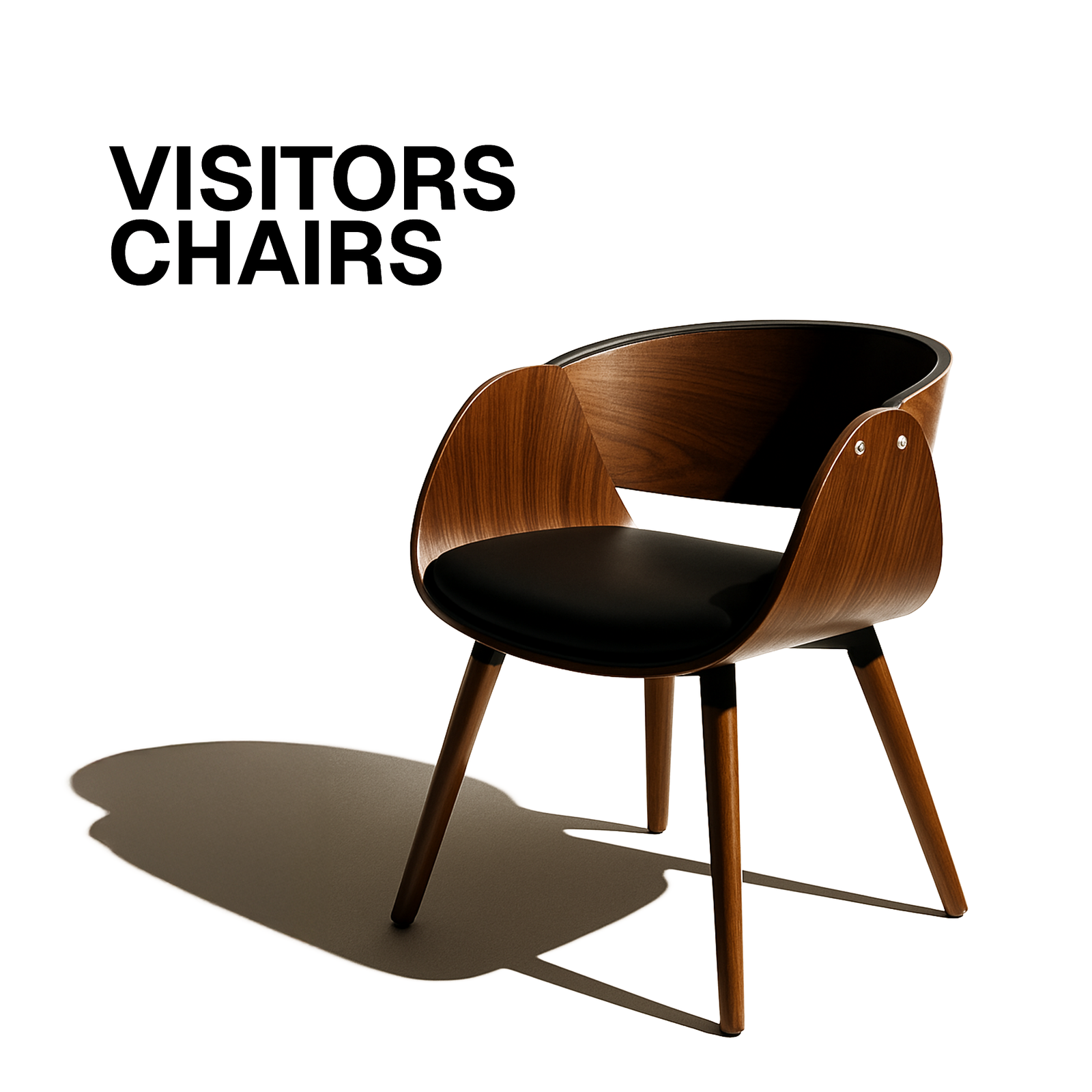
How to Select Chairs for Training Rooms

Training rooms are the beating heart of any organization that values growth—whether you’re onboarding new hires, conducting compliance workshops, or hosting a leadership boot‑camp. While most planners obsess over curriculum, technology, and room layout, one critical element often gets overlooked: the chair. The right seat can boost concentration, reduce fatigue, and even improve learning outcomes; the wrong one can turn an inspiring session into a painful ordeal.
In this 1000‑plus‑word deep dive we’ll explore why chair selection matters, the key criteria to evaluate, the most common chair styles, budget‑friendly procurement tips, and a step‑by‑step checklist you can use tomorrow. By the end, you’ll be equipped to turn any training space into a comfortable, productive learning environment—one perfectly‑chosen chair at a time.
1. Why the Chair Is More Than Just a Piece of Furniture
1.1 The Human Factor
Training rooms are, at their core, people‑focused spaces. Learners spend anywhere from 30 minutes to 8 hours in a single session, and the quality of that time is directly tied to physical comfort.
Cognitive Load – Discomfort adds a hidden cognitive load. When the body is fidgeting, the brain diverts resources from processing new information to managing pain.
Attention Span – Studies from the Harvard Business Review show that ergonomic seating can increase attention span by up to 20% during long sessions.
Retention – A 2019 meta‑analysis of adult learning found a positive correlation between ergonomic comfort and information retention after 24‑hour and one‑week follow‑ups.
1.2 The Business Impact
Uncomfortable chairs can have ripple effects:
Symptom Business Consequence
Frequent repositioning or leaving the seat Disrupts flow, loses time
Back pain or neck strain Increases absenteeism & healthcare costs
Negative perception of the training program Lowers engagement and brand reputation
In short, investing in the right chair is an investment in learning efficiency, employee wellbeing, and the bottom line.
2. Core Criteria for Choosing Training‑Room Chairs
When you sit down to evaluate chairs, think of it like a mini‑audit of the learner’s physical experience. Below are the seven pillars you should weigh.
2.1 Ergonomics & Comfort
Seat Depth & Width – The seat should support the thighs without pressing behind the knees. A depth of 16‑18 inches works for most adults; consider adjustable depth for inclusivity.
Lumbar Support – A built‑in curve that matches the natural lumbar spine reduces slouching. Adjustable lumbar pads are a bonus.
Backrest Angle – A recline angle of 95‑110° offers a natural sitting posture while still keeping the learner upright enough for note‑taking.
Seat Cushioning – Look for high‑density foam or a blend of foam and breathable mesh. Over‑soft cushions flatten quickly; over‑hard surfaces cause pressure points.
2.2 Adjustability
A one‑size‑fits‑all approach rarely works in a diverse workforce. Essential adjustments include:
Seat Height – Typically 16‑21 inches from floor to seat top, controlled via pneumatic lever.
Tilt Tension & Lock – Allows users to lean back with resistance and lock the backrest when needed.
Armrests – Height‑adjustable, swing‑away, or removable armrests accommodate different work styles.
2.3 Durability & Build Quality
Training rooms see high turnover—people come and go daily. The chair must survive:
Weight Capacity – Minimum 250 lb; consider 300 lb for added safety margin.
Frame Material – Steel or reinforced aluminum frames provide strength without excessive weight.
Upholstery – Look for wear‑resistant fabrics (e.g., 600‑denier polyester) or high‑quality leather that can be cleaned easily.
Warranty – A 5‑year structural warranty is a good indicator of manufacturer confidence.
2.4 Mobility & Storage
Training spaces often shift between layouts—U‑shape, classroom, theatre, or breakout pods. Chairs should support this fluidity.
Swivel & Casters – Smooth‑rolling wheels (preferably nylon or polyurethane) allow quick rearrangement.
Stackability or Nestability – If space is limited, chairs that stack (usually 6‑12 high) save storage room.
Weight – Light enough to move (10‑15 lb) but heavy enough to stay stable when seated.
2.5 Aesthetics & Brand Alignment
The chair is a visual element that communicates professionalism and culture.
Color Palette – Neutral tones (gray, black, navy) blend with most branding, while accent colors can reinforce corporate identity.
Design Language – Modern minimalism versus classic executive style—choose what matches your overall interior design.
Custom Branding – Some manufacturers offer embroidered logos or removable covers for a branded touch.
2.6 Technology Integration
We’re in a hybrid era. Training rooms often need to accommodate laptops, tablets, or even VR headsets.
Seat‑Back Power Outlets – Integrated USB ports or power strips eliminate cable clutter.
Cable Management Grommets – Small channels in the seat or armrest to route power cords.
Height‑Adjustable Tablet Stands – Growing trend for “learning pods” that incorporate a small work surface.
2.7 Cost & Lifecycle Value
Up‑front Cost vs. Total Cost of Ownership – A cheaper chair may need replacement sooner, eroding savings.
Bulk Discounts – Many manufacturers offer tiered pricing for orders of 50+ units.
Maintenance Fees – Consider cleaning contracts or spare‑part availability.
3. Chair Types: Which Style Fits Your Training Model?
Below is a quick‑reference matrix of popular chair categories, their pros/cons, and ideal use‑cases.
Chair Type Typical Price (USD) Pros Cons Best For
Stackable Plastic‑Shell $45‑$80 Lightweight, stackable, budget‑friendly Limited adjustability, less ergonomic Large lecture‑style rooms, temporary pop‑ups
Swivel Task Chair $120‑$250 360° rotation, adjustable height, good lumbar support Larger footprint, may need more floor space Classroom layouts, collaborative workshops
Executive Mesh Chair $180‑$300 Breathable mesh, high adjustability, sleek look Typically non‑stackable, higher cost Board‑room style training, senior‑level seminars
Folding Training Chair $30‑$60 Easy to store, portable Minimal ergonomics, low durability Off‑site training, field workshops
Ergonomic Stackable Chair (e.g., Herman Miller “Setu”) $250‑$400 Strong ergonomics, stackable, premium materials Highest price point High‑end corporate academies, health‑focused orgs
Mobile Pod Chair with Integrated Desk $350‑$500 Built‑in work surface, power ports, modern aesthetic Bulky, heavier, limited stacking Hybrid training‑labs, tech‑focused sessions
> Tip: If you have a mix of training formats (lecture vs. breakout), consider a dual‑stock strategy: stackable shells for large‑group lectures, ergonomic task chairs for small‑group work.
4. Matching Chairs to Room Layouts
4.1 Classroom (Rows)
Key Requirements: Uniform height, minimal footprint, easy stacking.
Recommendation: Stackable plastic‑shell or lightweight ergonomic stackable chairs. Ensure seat height aligns with projector screens for unobstructed sightlines.
4.2 Theatre (Auditorium)
Key Requirements: Fixed rows, high comfort for long sessions, sturdy construction.
Recommendation: Fixed‑back ergonomic chairs with cushioned seats and built‑in cup holders. Consider adding a small “footrest” to relieve lower‑leg fatigue.
4.3 U‑Shape / Boardroom
Key Requirements: Swivel, adjustable armrests, ability to face both presenter and peers.
Recommendation: Swivel task chairs with 360° rotation and optional armrest removal for tighter spacing.
4.4 Collaborative Pods
Key Requirements: Mobility, integrated work surfaces, tech‑friendly.
Recommendation: Mobile pod chairs with built‑in tablet trays, USB ports, and lightweight casters.
4.5 Hybrid / Flexible Spaces
Key Requirements: Mix of stackable and adjustable chairs, easy conversion.
Recommendation: Maintain a core inventory of stackable chairs and a satellite inventory of ergonomic task chairs. Use modular flooring or risers to quickly shift configurations.
5. Practical Procurement Tips
1. Sample Before You Commit – Order a “chair trial kit” (usually 3‑5 units) and run a pilot for a week. Capture feedback via a short survey (comfort, adjustability, aesthetics).
2. Measure the Space – Use a laser measure to calculate the exact footprint needed per seat (including clearance for moving chairs). Add a 3‑foot buffer for circulation pathways.
3. Factor in Cleaning Protocols – In post‑COVID workplaces, chairs must withstand frequent disinfection. Choose antimicrobial fabrics or easy‑wipe leather.
4. Negotiate Service Packages – Some suppliers bundle warranty extensions, on‑site repairs, and replacement parts for a modest annual fee.
5. Check Sustainability Credentials – Look for FSC‑certified wood, recycled plastic, or low‑VOC finishes if your organization values green procurement.
6. Leverage Volume Discounts – Even if you need only 30 chairs now, ask about “future‑proof” pricing for an additional 20–30 chairs you might need next year.
7. Mind the Shipping & Logistics – Bulk shipments can be heavy; confirm if the vendor offers white‑glove delivery and assembly.
6. Maintenance & Longevity: Keeping Chairs in Top Shape
Maintenance Activity Frequency How‑to
Dust & Surface Wipe Daily Use a soft microfiber cloth; for leather, apply a conditioner quarterly
Deep Clean Upholstery Monthly (or after each large event) Spot‑clean stains with mild detergent; steam‑clean fabric chairs quarterly
Wheel & Caster Check Quarterly Remove debris, lubricate with silicone spray, replace worn casters
Tighten Bolts & Screws Bi‑annual Use a hex key to ensure all connections are snug
Inspect Adjust Mechanisms Quarterly Test height, tilt, and swivel; replace gas lift cylinders if they hiss or lose pressure
Record Maintenance Ongoing Maintain a simple spreadsheet or CMMS log with chair ID, date, issue, resolution
A disciplined maintenance schedule extends chair life by up to 30%, according to a facilities‑management case study from a Fortune 500 firm.
7. Real‑World Success Stories
7.1 TechCo’s “Learning Lab” Transformation
Challenge: A 1,200‑sq‑ft training hub with 150 attendees per day suffered from back‑pain complaints.
Solution: Swapped out generic plastic chairs for ergonomic stackable chairs with adjustable lumbar support. Added power‑outlet‑integrated seats.
Result: 42% reduction in post‑session discomfort reports, 15% higher post‑training quiz scores, and a 20% increase in room utilization (more sessions per day).
7.2 HealthFirst’s Hybrid Classroom
Challenge: Needed a flexible space for both in‑person and virtual instruction, with frequent layout changes.
Solution: Adopted mobile pod chairs equipped with USB ports and a detachable tablet tray. Kept a set of stackable chairs for lecture‑style days.
Result: Seamless transition between formats, reduced setup time from 30 minutes to under 10 minutes, and positive feedback on “tech‑ready” seating.
8. The Ultimate Chair‑Selection Checklist
> Print this checklist and bring it to every supplier meeting. Tick off each item before signing a purchase order.
✅ Item Notes
1 Ergonomic Standards – lumbar, seat depth, backrest angle Verify compliance with ISO 9241‑5 or local ergonomics guidelines
2 Adjustability – height, tilt, armrests Confirm that at least 80% of users can achieve a neutral posture
3 Weight Capacity – ≥250 lb (or higher) Check structural warranty
4 Durability – frame material, upholstery rating Ask for wear‑test data (e.g., 10,000 cycles)
5 Mobility – casters, stackability, footprint Ensure casters are floor‑type appropriate (hard floor vs carpet)
6 Aesthetic Fit – color, finish, branding options Request a full‑size mock‑up in your training room
7 Tech Integration – power ports, cable management Verify voltage compatibility for your locale
8 Cleaning & Hygiene – antimicrobial fabrics, wipe‑clean surfaces Ask for cleaning protocol recommendations
9 Warranty & Service – minimum 5‑year structural, 2‑year upholstery Clarify who bears shipping for replacements
10 Cost Analysis – unit price, bulk discount, TCO Include projected lifespan (7‑10 years)
11 Sample Trial – 1‑week pilot with real learners Collect quantitative (Likert scale) and qualitative feedback
12 Supplier Reputation – references, case studies Check for certifications like BIFMA or FSC
9. Frequently Asked Questions (FAQ)
Q1: Do I really need adjustable chairs for a short, 30‑minute workshop?
A: Even brief sessions benefit from proper posture. Adjustable seats prevent cumulative strain over multiple sessions throughout the day.
Q2: Are stackable chairs inherently uncomfortable?
A: Not necessarily. Modern stackable ergonomics (e.g., the “Setu” line) blend stackability with lumbar support and breathable mesh.
Q3: How many chairs should I keep in reserve for emergencies?
A: A common rule is 5‑10% of total inventory. For a 50‑seat room, keep 3‑5 extra chairs on hand.
Q4: What is the best flooring for chairs with casters?
A: Hard‑surface floors (polished concrete, hardwood) work best with polyurethane casters. For carpeted rooms, use larger‑diameter, soft‑tread casters to prevent snagging.
Q5: Can I retrofit existing chairs with ergonomic upgrades?
A: Yes—adding lumbar pads, seat cushions, or adjustable armrests can improve comfort, but weigh the cost against buying new chairs outright.
10. Bottom Line: The Chair Is the Unsung Hero of Learning
Choosing the right chairs for your training room isn’t just an interior‑design decision; it’s a strategic investment in human performance. By aligning ergonomics, adjustability, durability, and technology, you create an environment where learners can focus on the content—not their backs.
Remember the three C’s:
1. Comfort – The learner’s body must stay at ease.
2. Compatibility – The chair must fit the room’s layout, technology, and brand.
3. Cost‑Effectiveness – Look beyond sticker price to lifespan and total ownership.
When you tick these boxes, you’ll notice sharper attention, higher satisfaction scores, and, ultimately, better business outcomes.
Ready to Upgrade?
Take the first step today: audit your existing chairs, run a quick learner survey, and schedule a demo with a reputable ergonomic chair supplier. The right seat could be the missing piece that turns your training rooms from functional spaces into learning‑accelerators.
Happy sitting, and even happier learning!